pronounced tie-see
Menu

Menu
The challenge is not accessing every possible data point. It is choosing the signals that support your campaign, workflow and goals.
That may begin with daily mailpiece tracking. Over time, you might add campaign dashboards, personalized QR codes, Informed Delivery or a connection to your CRM (customer relationship management) platform.
Build what you need. Add layers as you grow.
A direct mail signal stack is the collection of data sources and reporting tools used to understand what happens before, during and after a mailpiece reaches its destination.
Each layer provides a different view of campaign activity:
These layers can work independently. They become more powerful when they are connected.
Mailpiece scan data provides visibility into where individual pieces are within the mail stream and when they are expected to reach their destination.
That information can help teams:
Instead of scheduling follow-up from the original mail date, your team can use live USPS scan data to communicate when the piece is in the recipient’s hands.
There are two common ways to bring mail signals into your workflow.
Receive reports by email and upload the data to your CRM.
Automate CRM updates through an API built around your data structure.
A manual upload can be an effective starting point for teams that want access to the data without a more involved integration. An API connection creates a more automated flow when the volume or workflow calls for it.
Individual mailpiece signals are useful for recipient-level activity. Campaign dashboards provide a broader view.
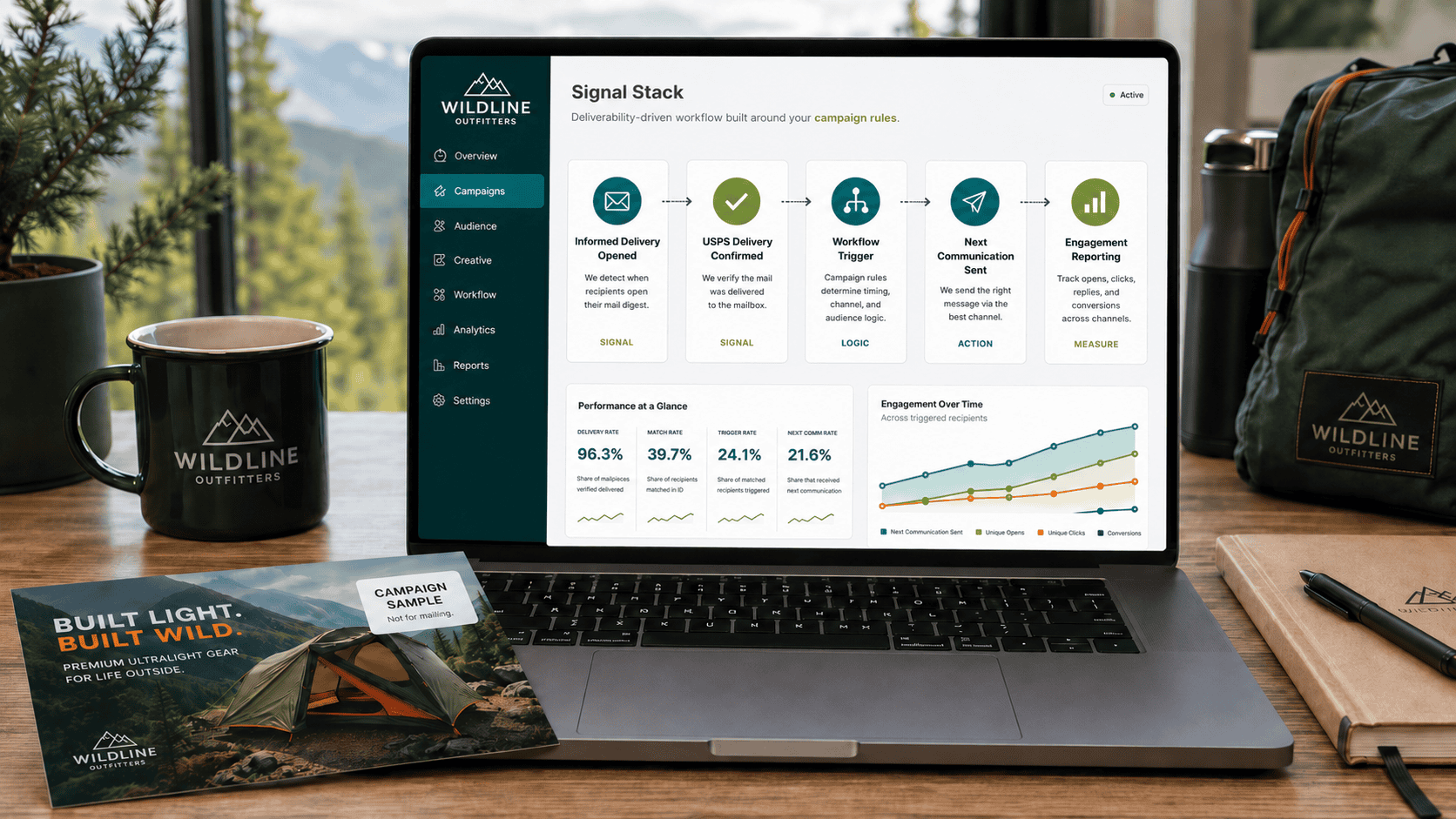
Dashboards turn mail tracking data into a visual overview that can help your team monitor:
Mailpieces scanned
Pieces tracked to delivery
Delivery completion
Average delivery time
Scan activity over time
Geographic activity
Performance across recent drops
This bird’s-eye view makes it easier to identify patterns without sorting through individual reports.
A dashboard can also help teams compare campaign timing, monitor geographic differences and communicate results internally.
Personalized QR codes extend measurement beyond delivery.
Because each code can be connected to an individual recipient, teams can see:
Total QR scans
Scans by recipient
Scan timing
While this does not necessarily indicate that someone completed a purchase, form or other conversion, it does show that the recipient interacted with the mailpiece and can help identify where engagement occurred.
That data supports campaign analysis, getting ahead of conversions and enables tailored and informed follow-up. When testing or versioning, this data can give live insights into which is performing better, allowing you to quickly adjust sales to the changing weather.
Qualifying campaigns may also receive a 5% USPS postage discount through the Integrated Technology promotion.
Thysse can help add personalized QR codes to your campaign and connect the resulting scan activity to your reporting strategy.
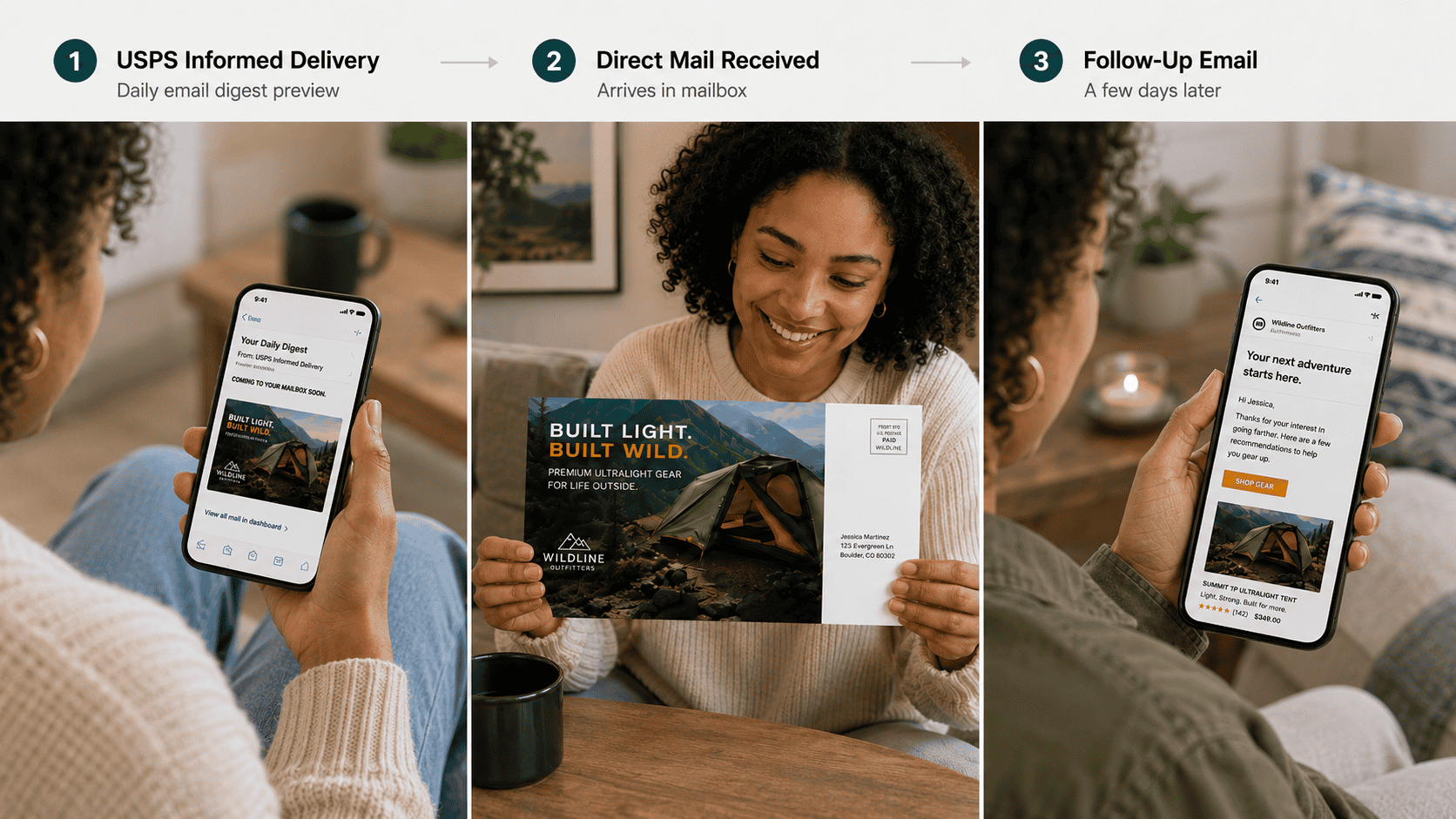
Informed Delivery gives enrolled recipients a digital preview of incoming mail before they interact with the physical piece. As of 2026, USPS Informed Delivery has surpassed 74 million enrolled customers, with over 60 million active registered users.
Campaign reporting can include:
Emails sent
Opens
Clicks
That creates an additional engagement layer before the mailpiece reaches the mailbox. The average open rate for the daily digest emails hovers between 59% and 62%, which significantly outpaces standard marketing email benchmarks.
Informed Delivery data is available for up to 90 days, giving teams time to review digital activity alongside physical delivery and campaign response.
Qualifying campaigns can also receive an additional 1% USPS discount when Informed Delivery is included.
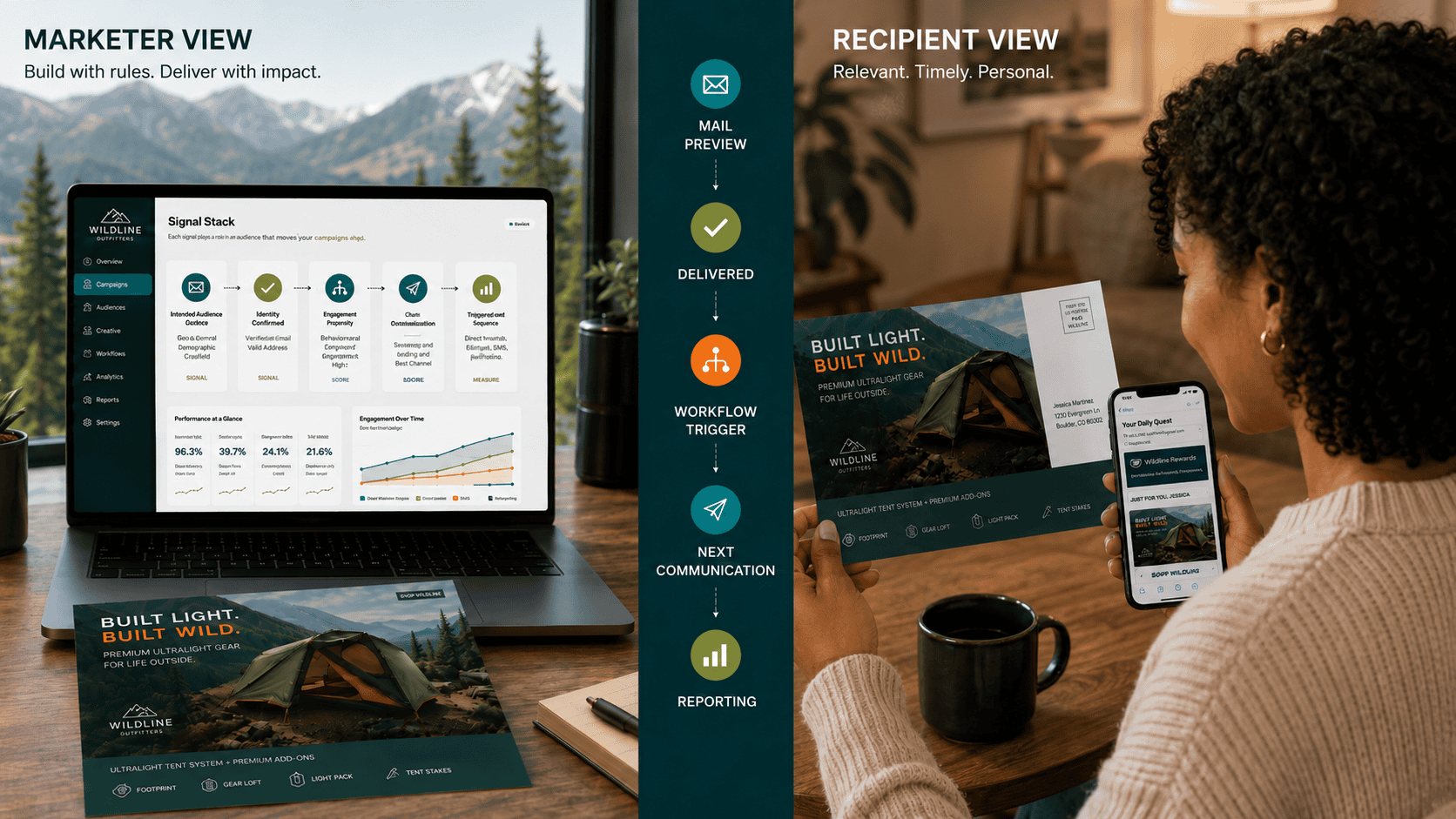
Direct mail data becomes more useful when teams can access it where they already work.
Depending on your signal stack, that connected view may include:
Actionable mail data
Daily mailpiece activity that supports timely follow-up.
Bird’s-eye dashboards
Campaign-level delivery trends and performance.
Personalized QR engagement
Recipient-level scan activity.
Pre-mailbox views
Digital engagement through Informed Delivery.
Your CRM
One connected view that Sales and Marketing can use.
Bringing these signals together can help teams understand what was sent, when it was likely delivered, how recipients engaged and what should happen next.
You do not need every layer on day one.
A team may begin with daily mail tracking reports, then add a dashboard as campaign volume grows. Personalized QR codes or Informed Delivery enable a deep dive on recipient-level engagement. CRM automation can follow when manual uploads are no longer efficient—for many of our customers, this CRM integrated piece becomes critical quickly.
The right direct mail signal stack is not necessarily the most complex one. It is the one that gives your team the visibility needed to make better decisions.
Trusted data from the source. Better attribution. Stronger results.
Direct mail tracking can include mailpiece scan activity, estimated delivery timing, geographic trends and campaign-level reporting.
Yes. Teams can manually upload reports or use an API connection to automate updates within their customer relationship management platform.
Our tracking tools can show total QR scans by campaign.
PQR codes (Personalized QR codes) can collect scans by recipient and when scan activity occurred. Need help creating PQR’s? Drop us a line.
Reporting includes emails sent, opens and clicks associated with the digital preview.